Classic Widgets
Widgets provide a way to add modular content in specific, pre-defined areas of the theme. They are a big part of customizing classic themes. They are not relevant for block themes at all. There are two sides to widgets – widgets and sidebars.
Widgets are just blocks of PHP code. They are created by developers. They have to extend the WP_Widget class, implement methods such as widget(), form(), and update(), and then be registered using the register_widget() function. The widget() method, which is the only truly required method, is responsible for actually rendering the HTML of the widget on the frontend of the website. The form() and update() methods are responsible for giving the website’s administrator ways of modifying the widget, such as changing the text or image rendered in the widget() method.
Sidebars have a very unfortunate name. They should’ve been named “Widget Areas” instead. Sidebars are places in the theme’s code where widgets can be rendered. Think of it as shelves and books. You mount shelves on the walls in strictly defined spots. They are immovable. These are sidebars. Then you can place all sorts of different books on every shelf. The books are widgets.
Sidebars do not have to be literal sidebars. That’s why this name is so awful. You can define sidebars in the center of the page, or the footer, or anywhere else your soul might desire. It’s the theme author’s responsibility to define sidebars in places where the theme’s users might want to place widgets.
Going into the code, defining sidebars has 2 parts. First, you have to define the existence of the sidebar. It’s not like with hooks, where you could just call the hook out of the blue. You have to register the name of the sidebar first using register_sidebar(). This will make the sidebar appear in the Appearance -> Widgets menu.
Only then can you render the widgets assigned to the sidebar in your template files using the dynamic_sidebar( $sidebar ) function. You would register the sidebar in your functions.php file, and then you would call dynamic_sidebar() in your theme’s template files. Wherever you call this function, all the widgets assigned to the given sidebar by the website’s admin would be rendered using their widget() method.
Let’s look at the actual way of using widgets. The picture below shows a sliver of the classic Widgets menu in the admin panel. You can see widgets on the left (Audio, Calendar, and Custom HTML), and you can see sidebars on the right (Right Sidebar and Left Sidebar).
The widgets have been defined somewhere in the PHP code that is run on the website (either by WordPress core, a plugin, or a theme). The sidebars have been registered by the theme. To use a widget in a sidebar, you manually drag it over to the box of the sidebar you’re interested in. Once there, you can see customization fields. For a Calendar widget, there’s a ‘Title’ text field. That’s defined by the widget’s form() method.

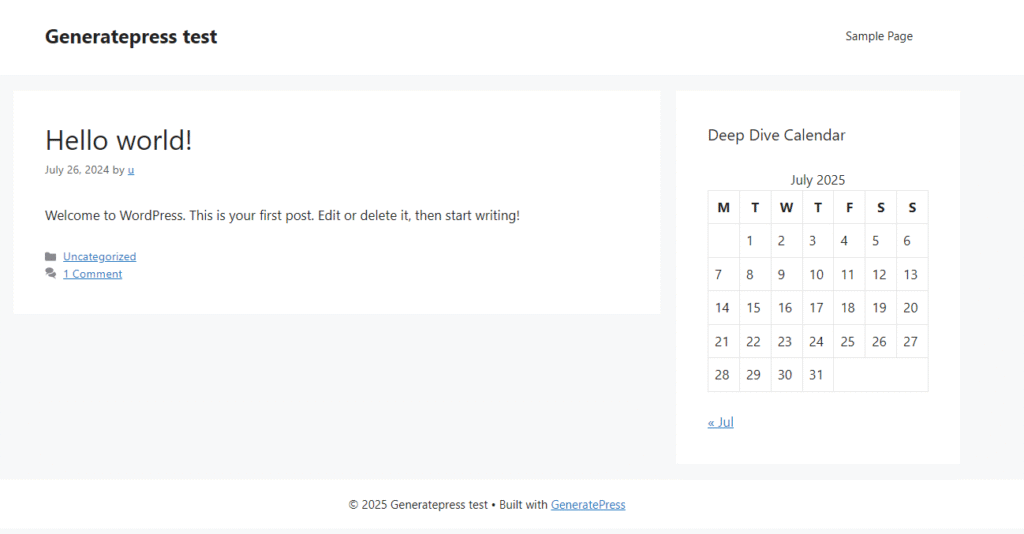
Here’s what the widget looks like on the frontend of the website. As you can see, it actually is a sidebar, because that’s where the theme’s authors called the dynamic_sidebar() function for the “Right Sidebar” area. The HTML of the widget is rendered by its widget() method. You can also see that the widget displays the title of my choice.
Widgets are a powerful and much used way of customizing classic themes. In practice, you’d rarely write a widget from scratch, unless you had a really good reason to. There are thousands of plugins whose whole job is to supply those widgets, like social media icons, newsletter signup forms, etc. Some themes come with custom widgets as well, but you have to be wary of using them, as that introduces theme lock-in. Remember, themes are for presentation only. WordPress core itself comes with quite a few default widgets out of the box (e.g., a search box, recent posts, custom HTML, etc.).
It’s important to note that widgets are an exception to the “everything is a post” rule. They are not stored as posts. They are stored as configuration in the wp_options table.
Block Widgets
Block widgets have been introduced to unify the experience of creating content in the Block Editor with the experience of creating widgets. The biggest change is that they now utilize the Block Editor. Any block you can use in your posts, you can also use in your sidebars. Take a look at the new block-based widget page:
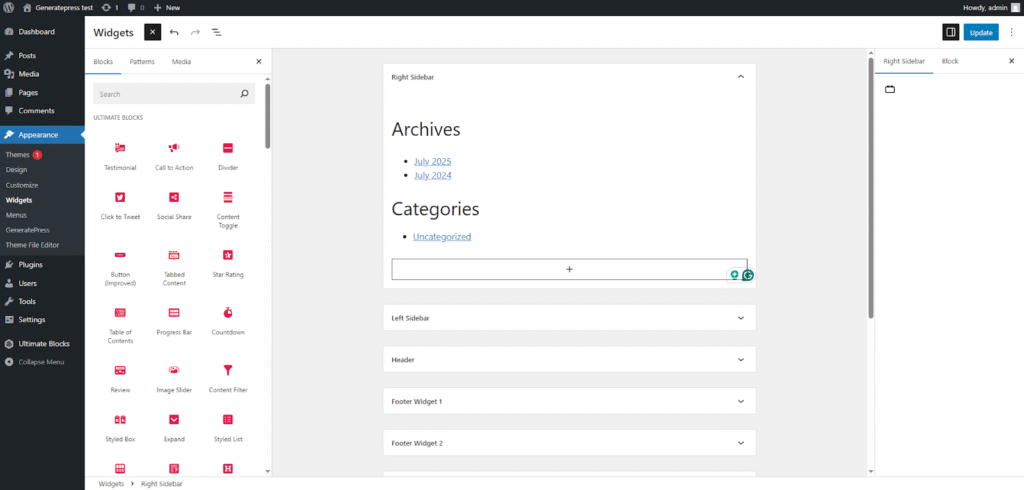
This change requires a shift in perspective when it comes to thinking about widgets. With classic widgets, you had to create the widget and then use the widget in your sidebars. Here you could say that every block is a widget. The word “widget” loses its meaning, and it’s more useful to now think of sidebars as pre-defined spots not for widgets, but for more general content.
Block widgets are backward compatible with classic widgets. The classic widgets registered with PHP are wrapped with a special “Legacy Widget” block. This acts as the adapter between the block content and the old widgets. If you want to go back to the classic widgets view, you can use the official Classic Widgets plugin.