You should already have a pretty good grasp of how the block editor works if you understand blocks. This editor, in contrast to the classic editor, is not just a <textarea> element. It’s an entire React application. Here’s what it looks like:
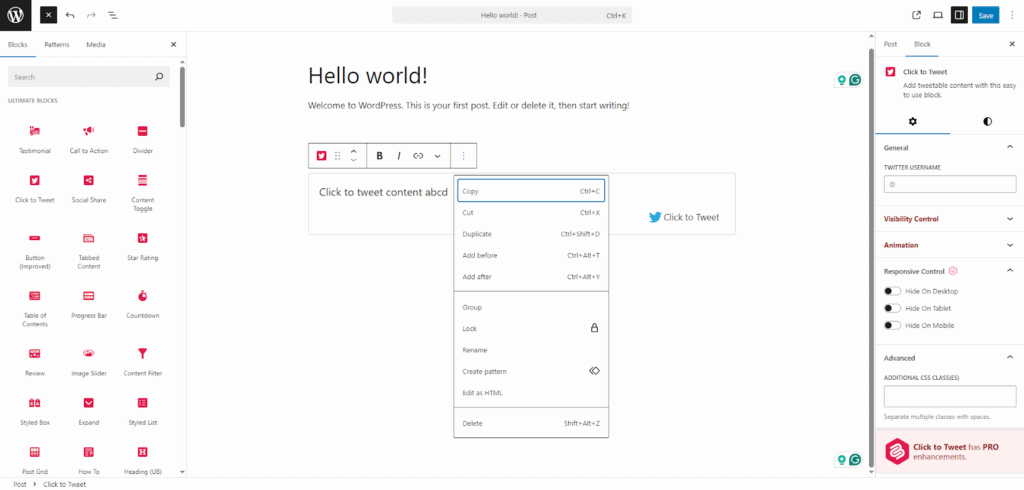
This document is not a tutorial and I won’t explain every single detail you see here. Go check out the official WordPress Block Editor article if that’s what you’re interested in.
The editor is divided into 4 primary sections:
- The top toolbar – allows you to open the left sidebar, go back to the admin panel, save the post, change your editor’s settings, and more.
- The left sidebar – the Block Inserter (open in the screenshot) allows you to choose from blocks, patterns, and media. The Document Overview (the 3 horizontal lines icon in the top toolbar) lets you see the structure of your blocks in a list and the content (headings) structure of your document.
- The content area – this is the main area in the center. That’s where you put your blocks and write your content.
- The right sidebar (also known as the Inspector) – the Post tab allows you to edit the post’s settings, such as the featured image, status, slug, associated terms, etc. The Block tab (visible in the screenshot) lets you modify the attributes of the selected block.
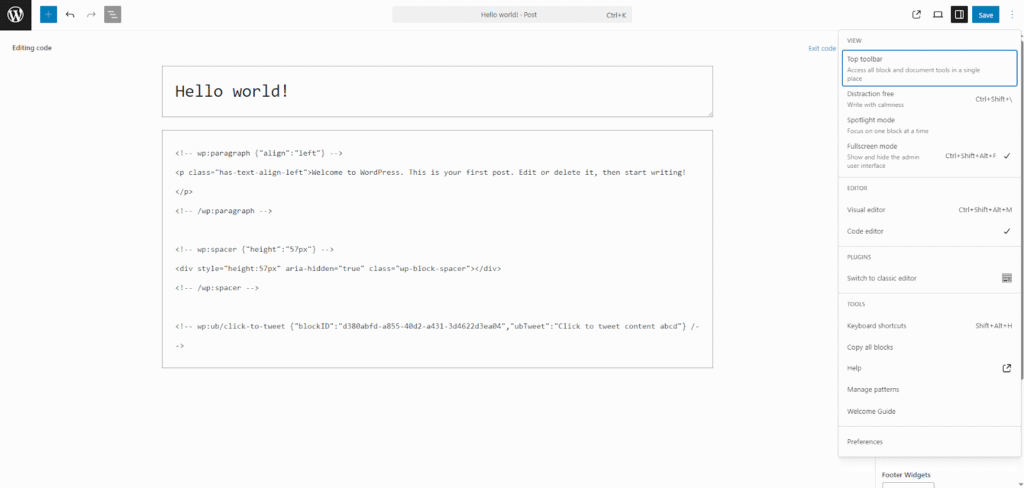
You can modify the appearance and behavior of your editor by clicking the Options button in the top toolbar (the 3 dots icon). There, you can switch from the visual editor to the code editor, which lets you modify the markup of the blocks. Here’s what that might look like:
If you compare the block editor to the classic editor, you can see that the difference is huge. And not only in UI, but the entire way of thinking about creating content. If you know anything about people, then you know they don’t like changes. The WordPress team anticipated this, and they released the “Classic Editor” plugin, which quickly became one of the most popular plugins in WordPress history, with over 9 million active installations as of 2025.
You might sometimes hear the Block Editor being referred to as Gutenberg. This is a very common point of confusion and is worth clarifying. Gutenberg was the name for the block editor while it was in development. When Gutenberg got officially merged with WordPress in 2018, the name changed to just “The Block Editor”. Now, Gutenberg is a separate plugin you can download. This plugin serves as the testing version of the Block Editor. New features are introduced into the plugin and when they are ripe enough, they get merged into the WordPress Block Editor.